Free monthly timesheet template in Excel and PDF
Download a free timesheet template for a whole month, in Excel or as a printable PDF, with no sign-up. It comes from Klokka, a free and open source (MIT) app where the employer logs the hours and each employee sees the same month, with no limit on employees, on the web and in the Android app, in English and Swedish.
Download the template
The Excel file opens in Excel, Google Sheets and LibreOffice and works out the hours with formulas. The PDF is made to be printed and filled in by hand.
Or let both sides see the hours live in Klokka: the employer logs them and the employee sees the same month on their phone.
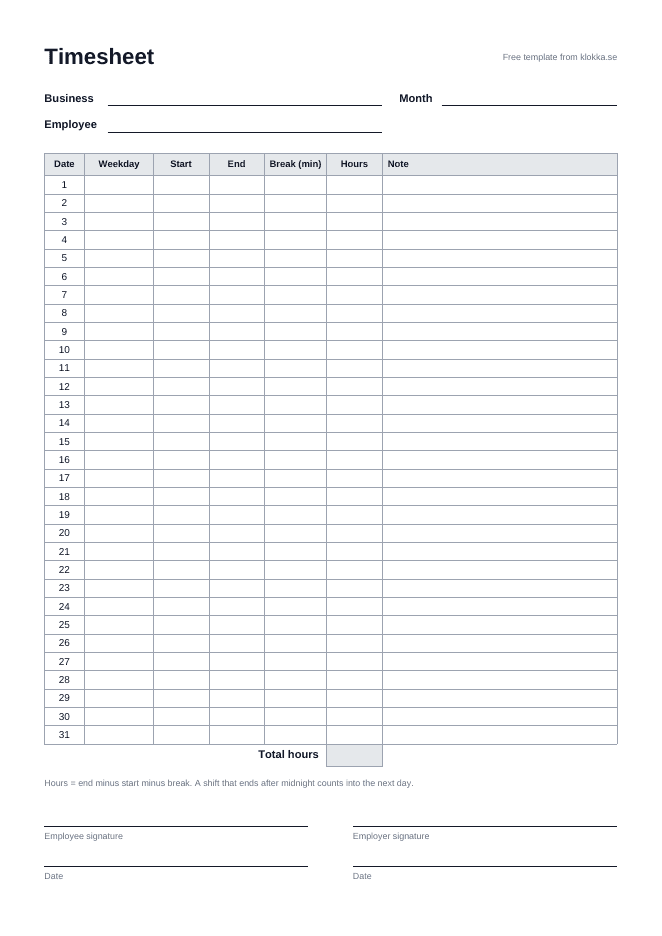
What the template contains
One page per employee and month. At the top go the business, the employee and the month, so nobody has to guess whose hours these are. Then comes a row for every day of the month, 1 to 31, and at the bottom the total and room for two signatures.
- Date and weekday: which day the row is for.
- Start and end: when the shift began and ended.
- Break in minutes: taken off the shift.
- Hours: worked out by the Excel file, or by hand on paper.
- Note: for example sick, holiday or a swapped shift.
How to fill in the timesheet
The Excel file works out the hours and the total by itself. On the PDF you do it by hand: end minus start minus the break.
- Write the business name, the employee name and the month at the top.
- Fill in a row for every day worked: start, end and the break in minutes. Type times as 08:00.
- Leave days off empty, or add a note such as off or sick.
- Check the total at the bottom when the month is over.
- Both of you sign, so you agree on the month, and each keeps a copy.
A timesheet template for multiple employees
Make one copy per employee and month. In Excel or Google Sheets, duplicate the tab and name it after the employee, and the whole staff is in one file. On paper, print one page per person.
Hours with a break
A shift from 08:00 to 16:30 with a 30 minute break is 8 hours. A shift that ends after midnight counts into the next day, both in the Excel file and in our work hours calculator, which also shows the hours as a decimal.
How long should timesheets be kept in Sweden?
Records of overtime and additional hours are kept for the calendar year they cover and two more calendar years (Swedish Work Environment Authority, AFS 2023:2 chapter 9, in Swedish). If the timesheet is the basis for pay it is part of the accounting records, which are kept until the end of the seventh year after the financial year (Bokföringslagen, chapter 7 section 2, in Swedish). More in the guide on how to track employee hours.
When a template is not enough
A paper sheet or an Excel file is only as current as the last time someone opened it. The employee does not see the hours until the end of the month, and nobody can see who changed what.
In Klokka the employer logs the hours per day and the employee sees them straight away on their phone, is notified when something changes and can flag a row that looks wrong. Every change is kept, and the month can be locked and exported as CSV. Read more about time tracking for small businesses.