Staff schedule template, in Excel and PDF
Download a free staff schedule template here, in Excel and as a PDF. It holds ten people and one week, with start time, hours and place for every shift. The Excel file also has tabs for four weeks, with a total for the whole period.
Download the schedule template
Free, no account. The Excel file adds up the hours for you and has four weeks with a total. The PDF prints in landscape to fill in by hand, with the example on page two.
Or make the schedule in Klokka instead: everyone sees their shifts on their phone and gets a notification when something changes.
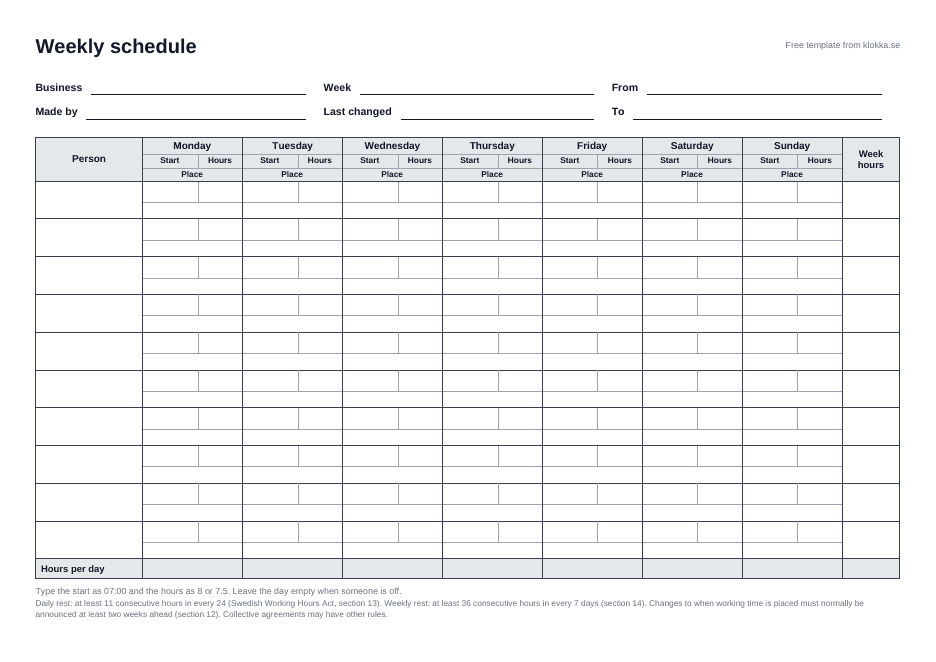
What is in the template
One row per person and two columns per day: when the shift starts and how many hours it is, with the place underneath, such as "12 High Street". The Excel file adds up the hours per person and per day. The PDF is the same schedule to fill in by hand.
How to fill it in
- Write the names in the first column and the week number at the top.
- Fill in the start and hours for each shift. Leave the day empty when someone is off.
- Write the place under the shift if you work in several, and put the schedule up where everyone can see it.
The example in the file
The example in the file is a bakery with four staff and 79 hours a week: Lina opens at 06:00 five days (40 h), Jonas three midday shifts (15 h), Ella the weekend (14 h) and Mehdi two evenings (10 h).
Mind the rest periods and changes
Under Swedish law every employee must have at least 11 consecutive hours off in every 24 and at least 36 consecutive hours off in every seven days (Working Hours Act, sections 13 and 14, in Swedish). Finishing at 22:00 and starting at 06:00 the next day leaves 8 hours, which is too short. More in our guide to daily and weekly rest.
The schedule must be available at the workplace (AFS 2023:2, chapter 9, section 7, in Swedish). Changes are normally announced two weeks ahead, see the questions below.
When the template stops being enough
A template works until the schedule starts changing often and every change has to be rewritten and passed on. In Klokka you add the shifts as jobs instead, with time, place and repeat, and the employee gets a notification when a job is added or changed. More on staff scheduling in Klokka.