Invite your people.
Add a name and an email. They get one invitation, set a password and land in your business. Until then they show as Invited.
- One email, nothing to set up
- Works at two places? One account for both
Free to use.
A simple, free app where the employer logs and plans the hours each person works, and both sides see the month add up. For employers and employees, on the web and in the Android app.


How it works
The employer logs, the employee sees, nobody chases paper. Scroll to walk through a week at Café Nord.
Add a name and an email. They get one invitation, set a password and land in your business. Until then they show as Invited.
Pick a person, pick a day, tap a chip. Or fill everyone's week in one grid on the web, like a spreadsheet.
The employee gets one notification per sitting, not five. If a day looks wrong, they flag it and you answer in the app.
Totals, average per working day and the trend, the same numbers on both phones. Close the month and export it for payroll.
Klokka in Claude
Connect Klokka to Claude once. Then ask about hours, months and jobs, or let Claude log hours and plan jobs for you. Same account, same rules as the app.
Features
Every employee, every day, one screen. Tab across it like a spreadsheet; the quick chips are a click away.
| Week 46 | Mon | Tue | Wed | Thu | Fri | Sat | Sun | Total |
|---|---|---|---|---|---|---|---|---|
| MMaria | 4 | 4 | 6.5 | 4 | 4 | off | off | 22.5 h |
| JJonas | 8 | 8 | 8 | 8 | 6 | off | off | 38 h |
| AAyla | off | 5 | 5 | off | 5 | 6 | off | 21 h |
| SSam | 6 | 6 | off | 6 | 8 | 4 | off | 30 h |
Off: a clean record of hours. On: a rate per person and money beside every hour, for both sides.
Illustrative rates.
An employee disagrees with a day. You get a push, fix it or dismiss it, and both sides are told.
Logged 5 h. I worked 6, I stayed for the delivery.
Who changed what, and when. Visible to both of you, including what Claude did.
The questions every employer asks, already answered.
Projected for November, 512 h in October
Reports
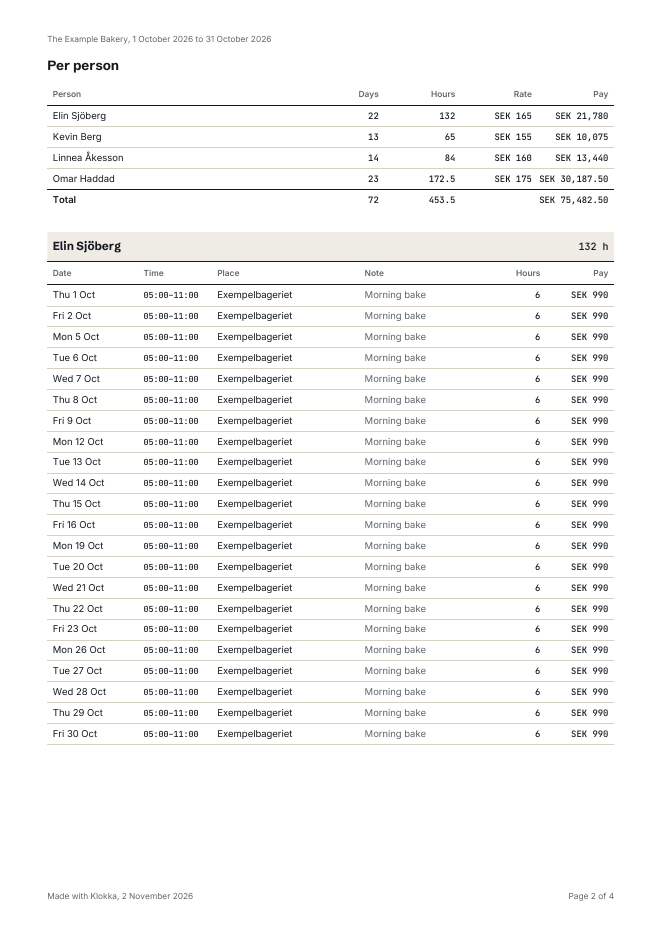
Download the hours for any dates. The employer gets the whole business, an employee their own hours.
Questions
Yes. Klokka has a Claude connector. Add it once in Claude under Customize, Connectors, then ask about your hours or, as an employer, log a week in one sentence. You decide whether Claude may read, change or nothing. See Klokka in Claude.
Yes. Klokka is free to use and you need no card to sign up. There is no limit on the number of employees.
It depends on who records the time. Klokka fits time tracking where the employer logs the hours for a handful of staff and both sides see the same month. If staff should clock in themselves, or you need automatic scheduling and shift swaps, a time clock or a bigger scheduling tool fits better.
Not yet. The employer logs, the employee sees and can flag an entry that looks wrong.
No. Pay is a switch per business, off by default. Turn it on and every employee gets an hourly rate and sees money next to hours.
Android has its own app. On an iPhone, use the web app in the browser; it has the same features.
In the EU, in a database that stores hours, not passwords. Export any month, any time.
No. Klokka records hours after the fact; it is not a staff register. Cafes, restaurants and salons in Sweden that must keep a personalliggare still need one, alongside Klokka. Read more in our guide to personalliggare in Sweden.
Something else? Write to hej@klokka.se.
Five minutes from sign-up to the first logged hour. The invitation email does the rest.
Already invited? Tap the link in the email, set a password, and your hours are waiting. Get the Android app